Automating Catch-Up Bookkeeping for CAS Practices
By DoDocs Editorial Team | November 16, 2026 | 7 min read
Key Takeaways
- Client onboarding friction: New Client Advisory Services (CAS) accounts often arrive with 3 to 12 months of un-reconciled transactions and missing receipts.
- Manual backlog costs: Manual historical cleanup consumes up to 50 senior staff hours per new client engagement, stalling firm revenue growth.
- AI-driven ingestion: DoDocs AI ingests historical document backlogs in bulk, extracting line-item metadata and matching historical bank feeds autonomously.
- Accelerated time-to-value: Accounting practices cut catch-up onboarding cycles from 6 weeks to 4 days, converting non-recurring cleanup into predictable monthly CAS engagements.
For Client Advisory Services (CAS) practices and fractional CFO firms across North America, winning a new client is a milestone celebrated by sales—and feared by the onboarding team. According to industry surveys from the American Institute of CPAs (AICPA), client onboarding and historical cleanup consistently rank among the most labor-intensive phases of accounting practice management.
When a growing SMB switches accounting providers or engages a fractional CFO, they rarely hand over clean, pristine ledgers. More often, the firm inherits 6 to 12 months of backlogged bookkeeping, hundreds of unmapped bank transactions, mixed personal and business expenses, and a disorganized folder of digital receipts.
Until historical ledgers are reconciled, firms cannot produce reliable balance sheets, file accurate tax returns, or deliver forward-looking financial advice.
The Bottlenecks of Traditional Catch-Up Bookkeeping
The traditional method of executing historical catch-up bookkeeping relies almost entirely on senior staff manual labor. The workflow typically unfolds across three major bottlenecks:
1. Document Extraction and Manual Re-Keying
Staff members must download monthly bank and credit card statements, parse multi-page vendor invoices, and manually type transaction dates, vendor names, line items, and sales tax details into general ledger software like QuickBooks Online, Xero, or NetSuite.
2. Document Chasing for Missing Records
A single missing statement or invoice stops reconciliation in its tracks. Bookkeepers create manual spreadsheet logs of missing receipts and spend hours emailing or calling clients to request supporting documents for transactions that occurred 9 months prior.
3. Rule-Based Categorization Failures
Standard accounting software rules rely on rigid vendor string matches. When historical data contains obscure merchant codes or mixed payment methods, standard rule engines fail, leaving hundreds of uncategorized transactions for manual review.
Concrete Example: Consider a 25-person logistics agency in Ontario onboarding with a new CAS practice in Toronto. The client provides 8 months of backlogged records: 1,400 credit card line items, 450 vendor invoice PDFs, and 3 bank accounts with unlinked transactions. Under traditional workflows, a senior staff accountant spends over 45 hours across three weeks manually line-item matching invoices to bank statements before monthly advisory work can even begin.
Ingestion at Scale: Processing High-Volume Backlog Documents
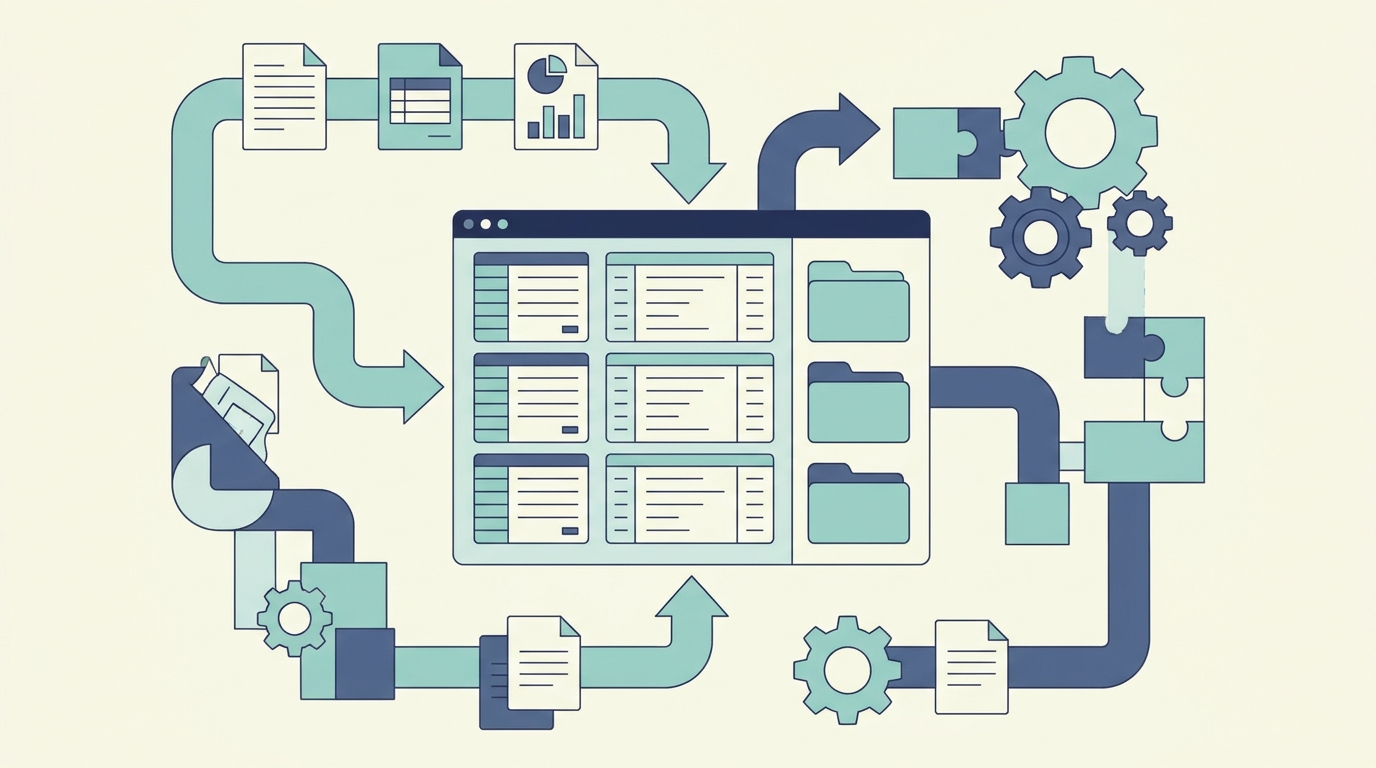
Modern document workflows powered by DoDocs AI eliminate manual data extraction during onboarding by introducing bulk document ingestion designed specifically for financial backlogs.
Instead of parsing invoices one by one, accounting teams can upload multi-year document repositories—including PDFs, scans, ZIP archives, and email attachments—directly into DoDocs AI.
Multi-Page and Line-Item Extraction
DoDocs AI utilizes vision-based and document-structure LLMs tuned for financial documentation. The engine automatically splits multi-page PDFs, identifies individual invoice boundaries, and extracts nested line items, tax breakdowns, shipping charges, and payment reference numbers.
Deterministic Data Validation
Before data enters the general ledger, DoDocs AI runs deterministic cross-checks against mathematically expected values. If line-item sub-totals do not sum to the invoice total, or if currency conversions diverge from historical spot rates, the system highlights the variance for targeted review.
Concrete Example: When the Toronto CAS practice ingests the logistics agency's 450 backlogged PDF invoices into DoDocs AI, the platform processes the entire repository in under 10 minutes. It extracts nested line items across fuel surcharges, equipment rentals, and maintenance fees, automatically matching payment dates and vendor names with 99%+ structural accuracy without manual data entry.
Automated Categorization and Ledger Matching
Once document records are parsed, the next critical step in catch-up bookkeeping is mapping transactions to the firm's standard Chart of Accounts (COA) and reconciling bank statement lines.
Traditional OCR tools stop at data extraction, leaving the complex logic of general ledger mapping to human accountants. DoDocs AI bridges extraction and accounting execution through context-aware reconciliation logic:
Contextual Chart of Accounts Mapping
DoDocs AI analyzes historical transaction notes, vendor descriptions, and line-item details to map transactions accurately to client-specific COA structures. For ambiguous entries, the AI references historical firm decisions to maintain consistency across fiscal quarters.
Automated Unmatched Ledger Matching
When historical bank feeds contain transactions without attached invoices, DoDocs AI cross-references invoice database metadata, matching transaction dates, amounts, and vendor names to link supporting documents automatically.
Review-by-Exception Workflow
Instead of requiring accountants to review every single routine transaction, DoDocs AI presents a streamlined "Review-by-Exception" queue. Staff accountants only inspect flagged anomalies—such as potential duplicate invoices or vendor name discrepancies—reducing manual touchpoints by over 80%.
Concrete Example: Out of 1,400 backlogged bank transactions for the logistics client, DoDocs AI automatically matches and categorizes 1,280 routine items against historical invoice records. The staff accountant is presented with only 120 flagged exceptions (such as missing receipts or ambiguous vendor codes), completing what used to be a 45-hour review in under 3 hours.
Turning Onboarding into High-Margin Recurring Advisory
By transforming catch-up bookkeeping from a manual slog into an automated background process, accounting practices unlock significant commercial and operational advantages:
1. Faster Time-to-Value for New Clients
Clients judge an accounting firm by how quickly they experience value. Cutting onboarding time from 6 weeks to 4 days builds client trust early and positions the firm as a modern, technology-driven partner.
2. Higher Profit Margins on Fixed-Fee Onboarding
Many CAS practices charge fixed onboarding or cleanup fees. Reducing staff hours per catch-up engagement dramatically increases the net margin on onboarding contracts.
3. Smooth Transition to Monthly Advisory
When historical ledgers are cleaned up rapidly, senior accounting staff can pivot immediately to financial reporting, cash flow forecasting, and advisory services—the core drivers of long-term client retention and revenue expansion.
Concrete Example: The Toronto CAS practice onboarded 12 new business clients in a single quarter using DoDocs AI. By cutting average cleanup labor from 40 hours down to 4 hours per client, the practice cleared $48,000 in onboarding revenue while saving over 430 staff hours—enabling the team to take on 30% more clients without increasing headcount.
Conclusion
Historical catch-up bookkeeping no longer needs to be a firm bottleneck. By leveraging DoDocs AI for bulk document ingestion, line-item extraction, and review-by-exception ledger matching, accounting firms and CFO practices can transform onboarding into a seamless, highly profitable competitive advantage.
More articles
Crypto accounting that works inside QuickBooks: we are building it with accountants
By Dan Gudkov | November 16, 2026 | 5 min read
Streamlining Client Document Intake for Accounting Firms
By DoDocs Editorial Team | November 13, 2026 | 6 min read
Continuous Audit Readiness for Modern Accounting Teams
By DoDocs Editorial Team | November 11, 2026 | 6 min read